Article
Antinote is great for quickly getting thoughts out of your head. Conduit is useful when that quick capture needs to go somewhere else afterwards.
By using Conduit as Antinote's Custom Export option, Antinote only needs to send data to one place. Conduit can then route that same note onwards to any app that supports a URL scheme. That might be a DEVONthink document, a Things task, an Anecnote note, a Drafts capture, a Bear note, or several of those at once.
Why use Conduit here?
Antinote's built-in export options cover common destinations, but a custom export routed through Conduit gives you a more flexible handoff point:
- You can choose the destination after the note has reached Conduit.
- You can send the same Antinote content to multiple apps.
- You can add destinations that Antinote does not natively support.
- You can adjust destination-specific URL formats in Conduit without changing Antinote again.
In other words, Antinote stays focused on capture, and Conduit handles the routing.
1. Configure Antinote's Custom Export
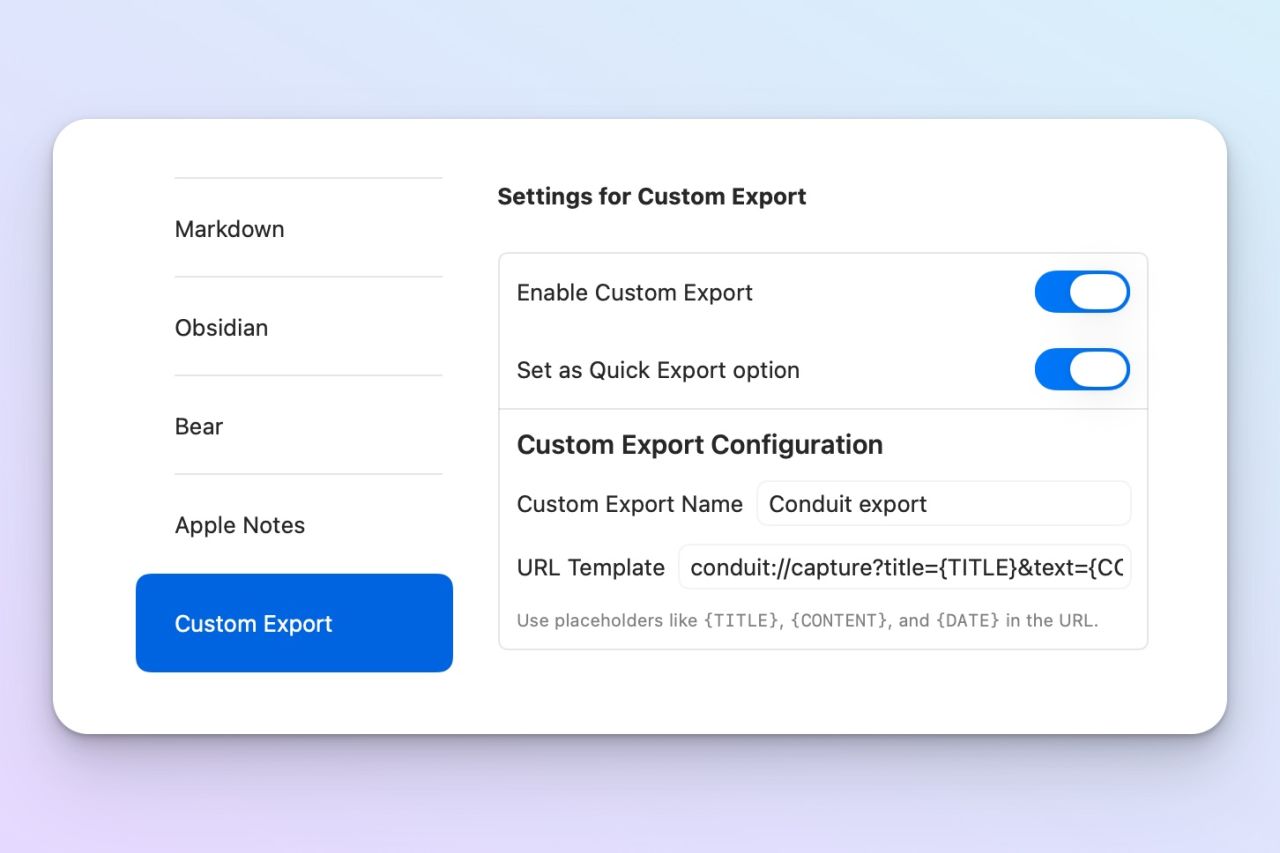
In Antinote, open the Custom Export settings and enable the custom export option. You can also set it as the Quick Export option if you want this to be the fastest route out of Antinote.
Give the export a clear name, such as Conduit export, then use a Conduit capture URL as the URL template:
conduit://capture?title={TITLE}&text={CONTENT}&date={DATE}&source=AntinoteThis sends Antinote's title, note content and date into Conduit as named parameters. The source=Antinote value is optional, but it is useful because it makes the payload easier to recognise later.
2. Export a note from Antinote
Once the custom export is configured, create or open a note in Antinote and run the export.
The note does not need to know anything about the final destination. At this stage, Antinote is simply sending the note's data to Conduit. That means the same export can later become a note, a task, a reference item, or whatever else your routes support.
New in Conduit v1.1.0
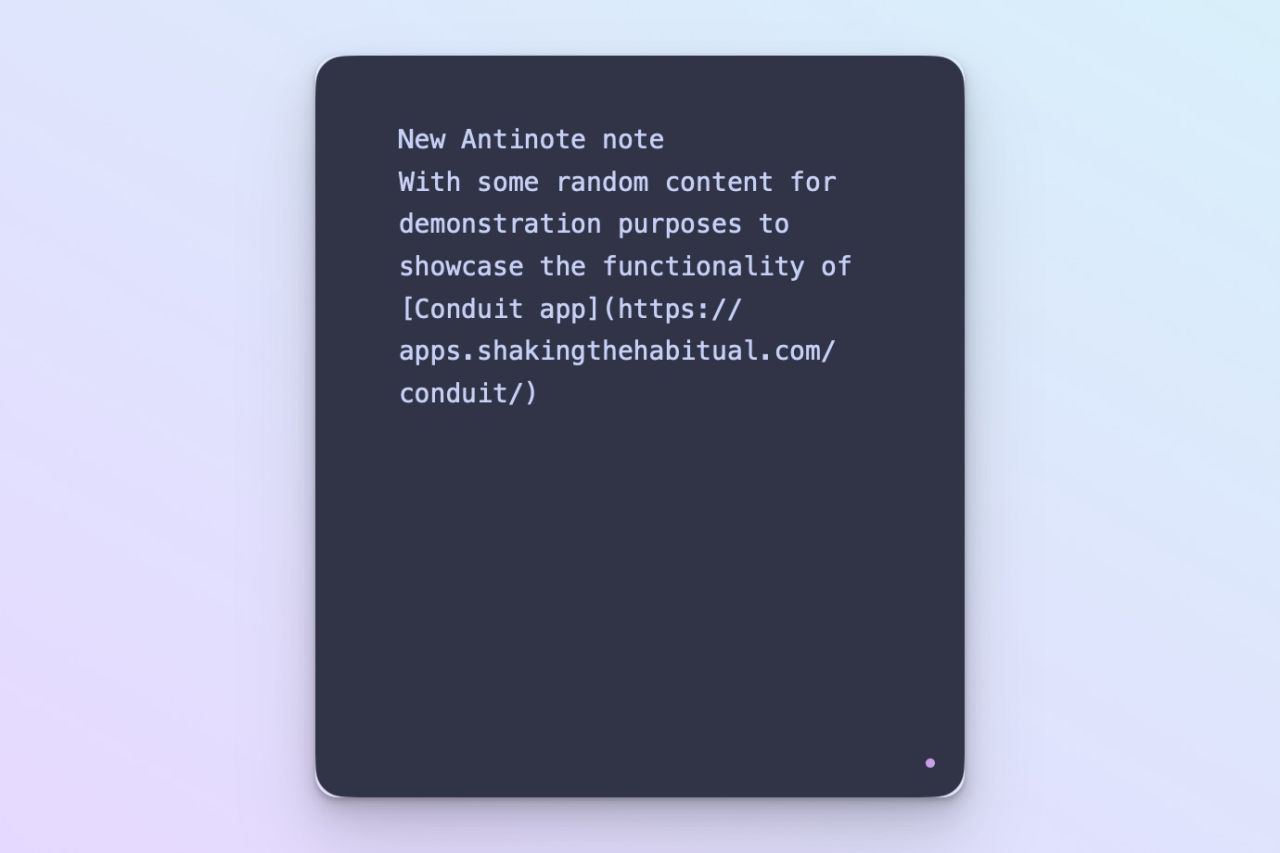
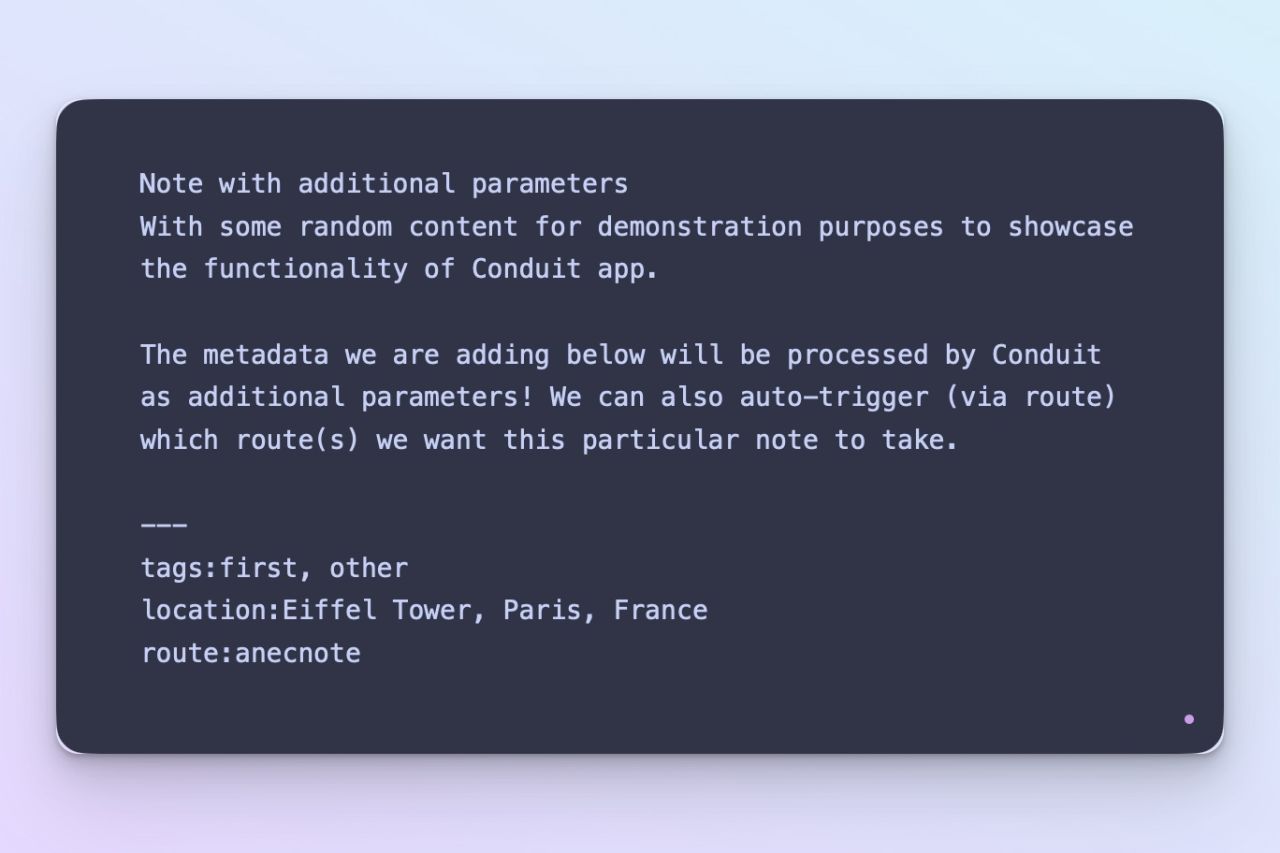
Send additional parameters to Conduit on a note by note basis. Extend what you send to Conduit by placing some additional metadata about your note at the end of the text block. These can then be processed by Conduit and the receiving app(s)!
3. Check the payload in Conduit
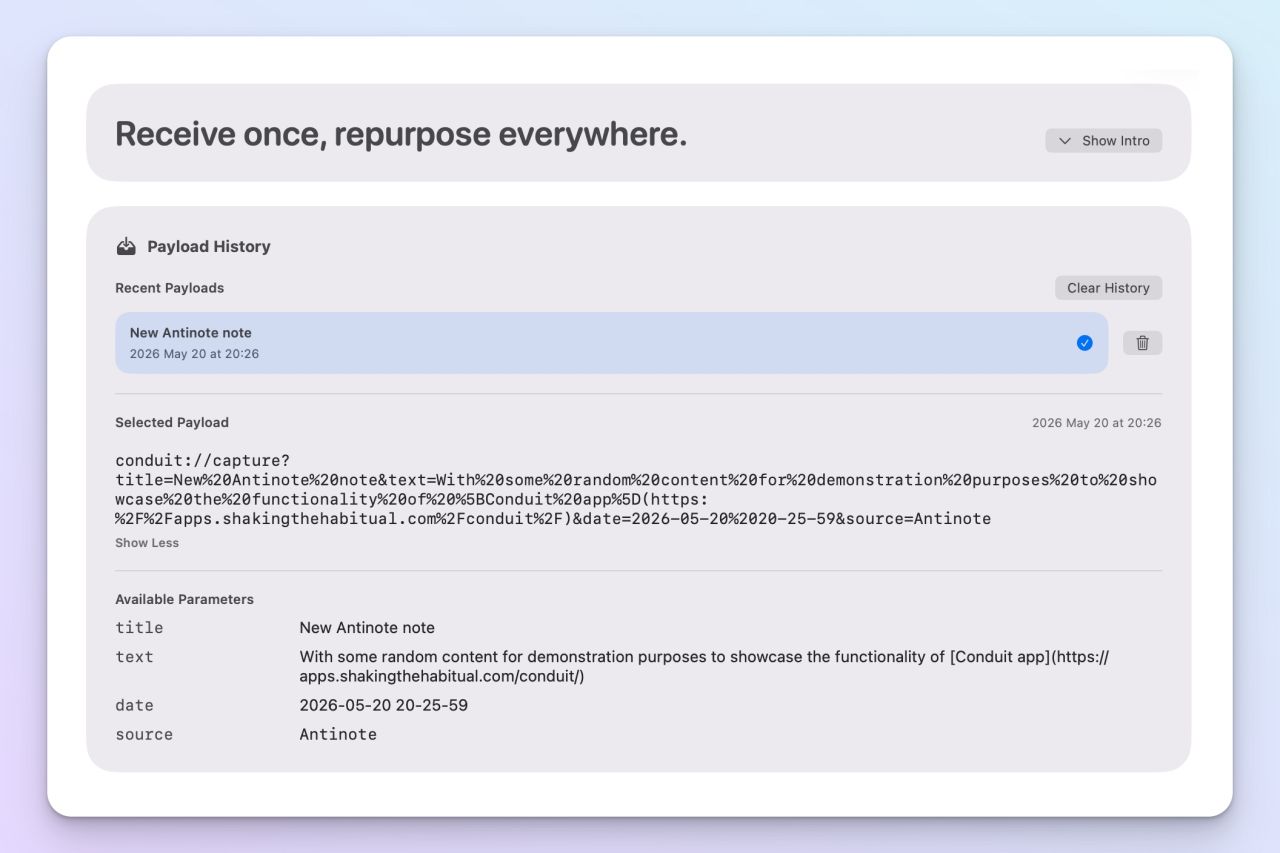
After the export runs, Conduit receives the incoming conduit:// URL and stores it as a payload.
You can inspect the received URL and the available parameters before sending anything onwards. In this example, Conduit receives:
titletextdatesource
Those parameter names then become tokens you can use in outbound routes, such as {{title}}, {{text}}, {{date}} and {{source}}.

Conduit
Not got Conduit app yet? Download it today for FREE! Available on macOS and iOS!
4. Route the note onwards
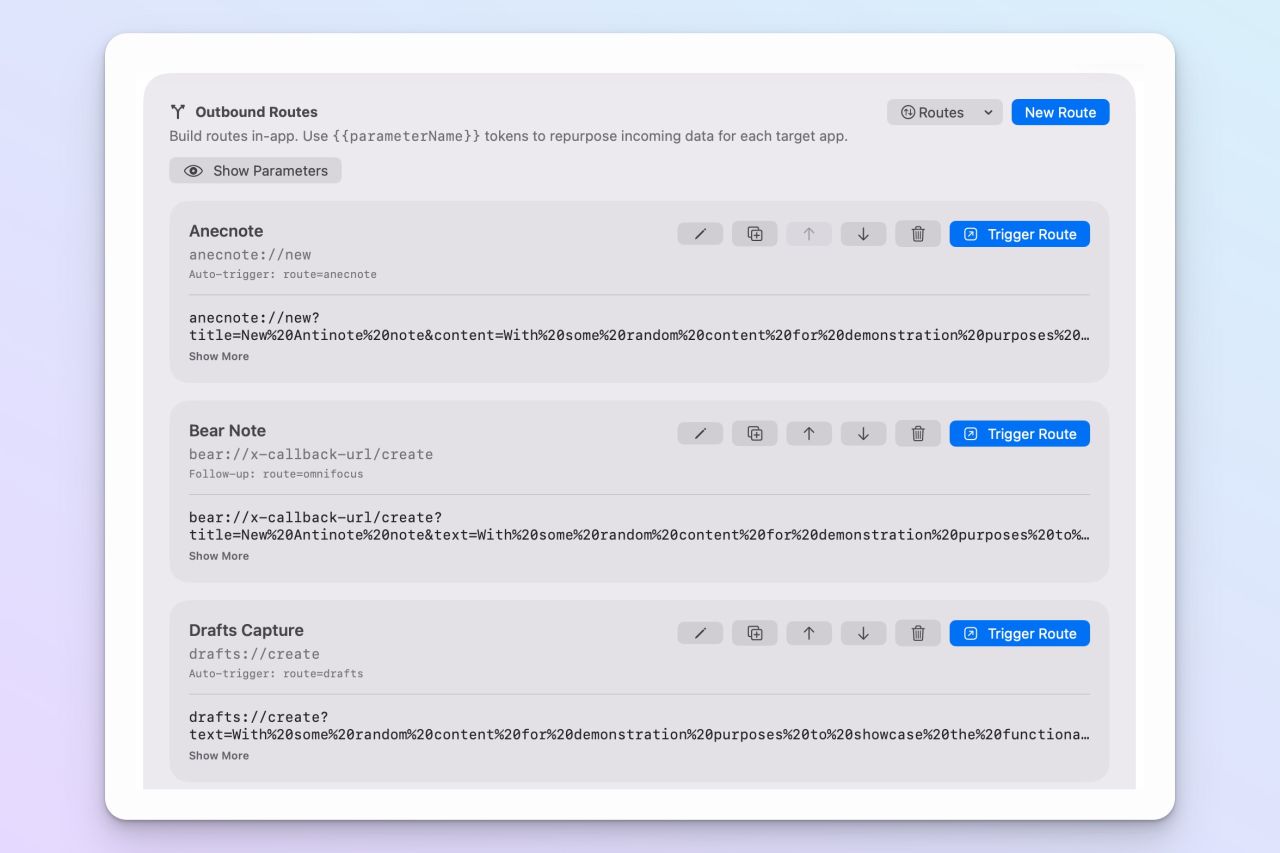
Now the useful part: Conduit can take the Antinote payload and reshape it for whichever app should receive it next.
For example, you could create routes that:
- Create an Anecnote note using the Antinote title and content.
- Add a Things task with the note title as the task name and the content in the notes field.
- Create a DEVONthink document from the note text.
- Send the note to Bear, Drafts, Obsidian or another URL-scheme-aware app.
Each destination app can have its own URL format and its own parameter mapping. The source payload stays the same; Conduit translates it for each route. You can run one route when a note has a single obvious destination, or run several routes when the same Antinote note should become, for example, both a long-term reference note and a follow-up task.
Manual or automatic routing
There are two useful ways to work with this setup.
The first is to send the note from Antinote to Conduit, inspect the payload, then manually choose which route to trigger. This is handy when you are still deciding where a capture belongs.
If you already know where Antinote notes should go, you can also have Conduit trigger one or more routes automatically. Give each Conduit route a short name, then reference those short names in the Antinote export URL by appending a route parameter.
For example, this would send the Antinote payload to Conduit and then automatically run the routes named anecnote and things:
conduit://capture?title={TITLE}&text={CONTENT}&date={DATE}&source=Antinote&route=anecnote,thingsThat keeps the Antinote side simple while still letting Conduit handle the app-specific routing. You can use a single route short name for one destination, or a comma-separated list when the same note should be sent to multiple apps.